 Order tracker · iOS, Android, Web
Delivery Status for Tesla
A clearer view of your Tesla order
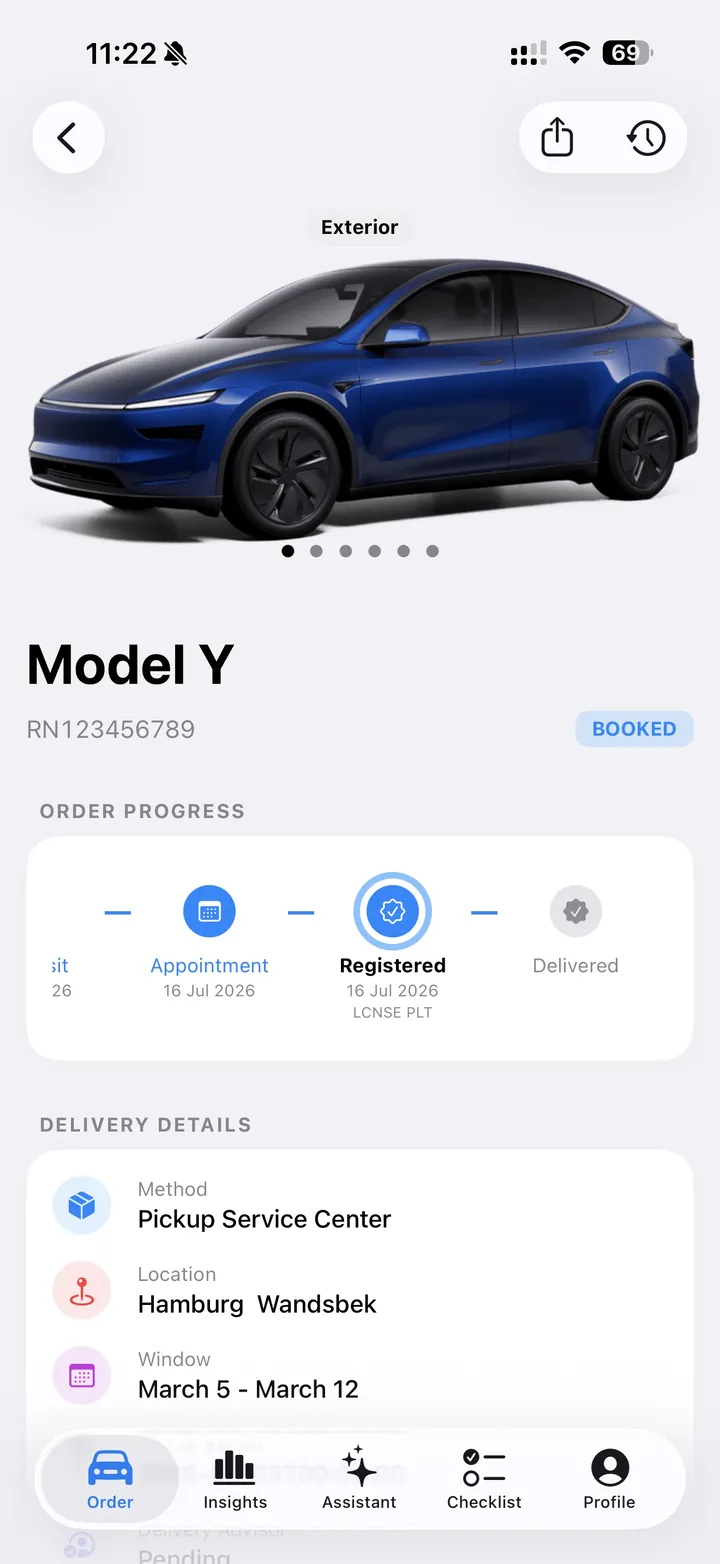
Follow your order progress, spot VIN updates and see what changed. A little more context for the wait, from your order to delivery day, on iPhone, Android and the web.
Works with Model Y, Model 3, Model S, Model X, Cybertruck.

- Monthly Active Users
- 18,000+
- Monthly Views
- 500,000+
- Shared Community Orders
- 17,700+
- App Store Rating
- 4.5 ★
The wait, step by step.
Your order, in perspective.
See the current step, your delivery window and what is still ahead. All in one readable timeline.
A new VIN. A changed window. Now you know.
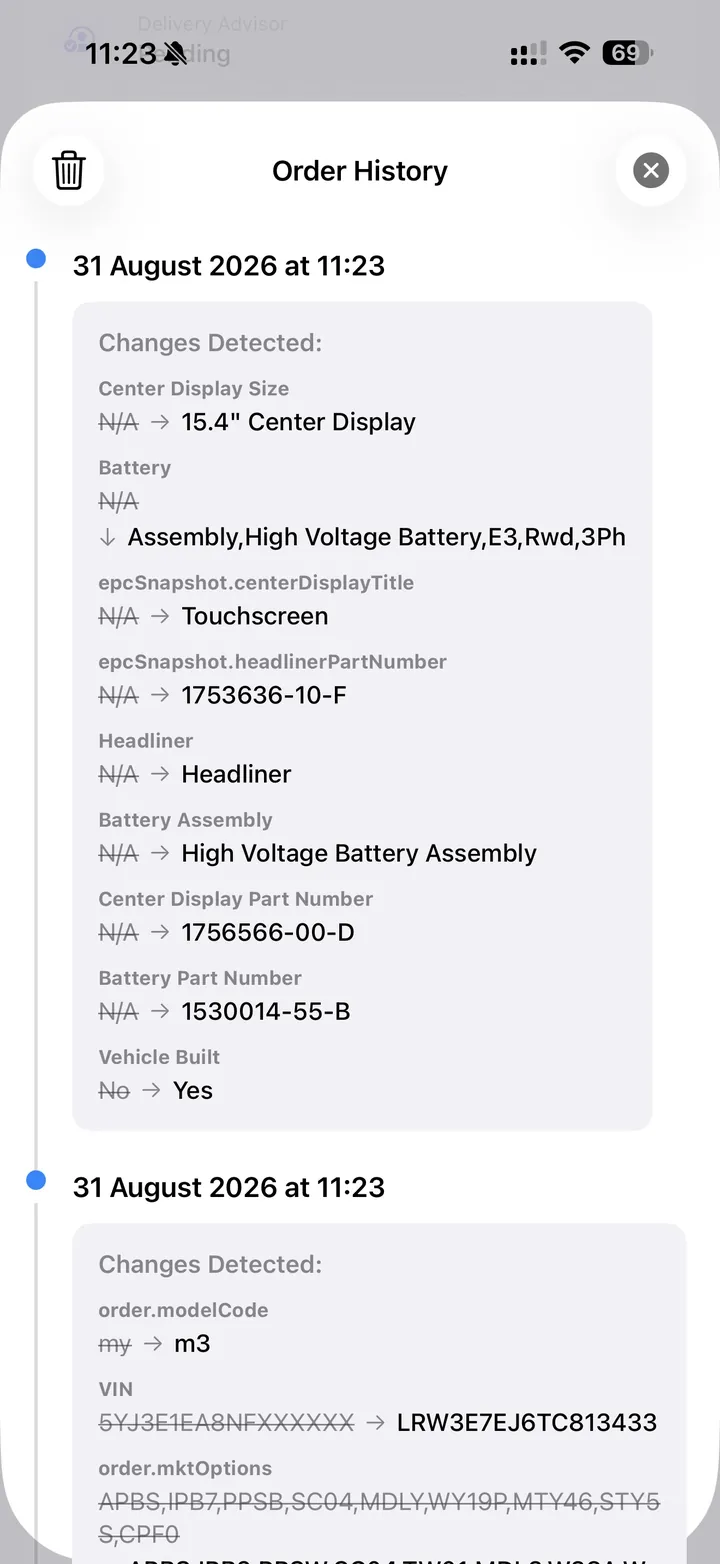
See your VIN when it becomes available, and how your estimated delivery date has moved. Pro adds a detailed history of old and new values.
There is a whole community waiting with you.
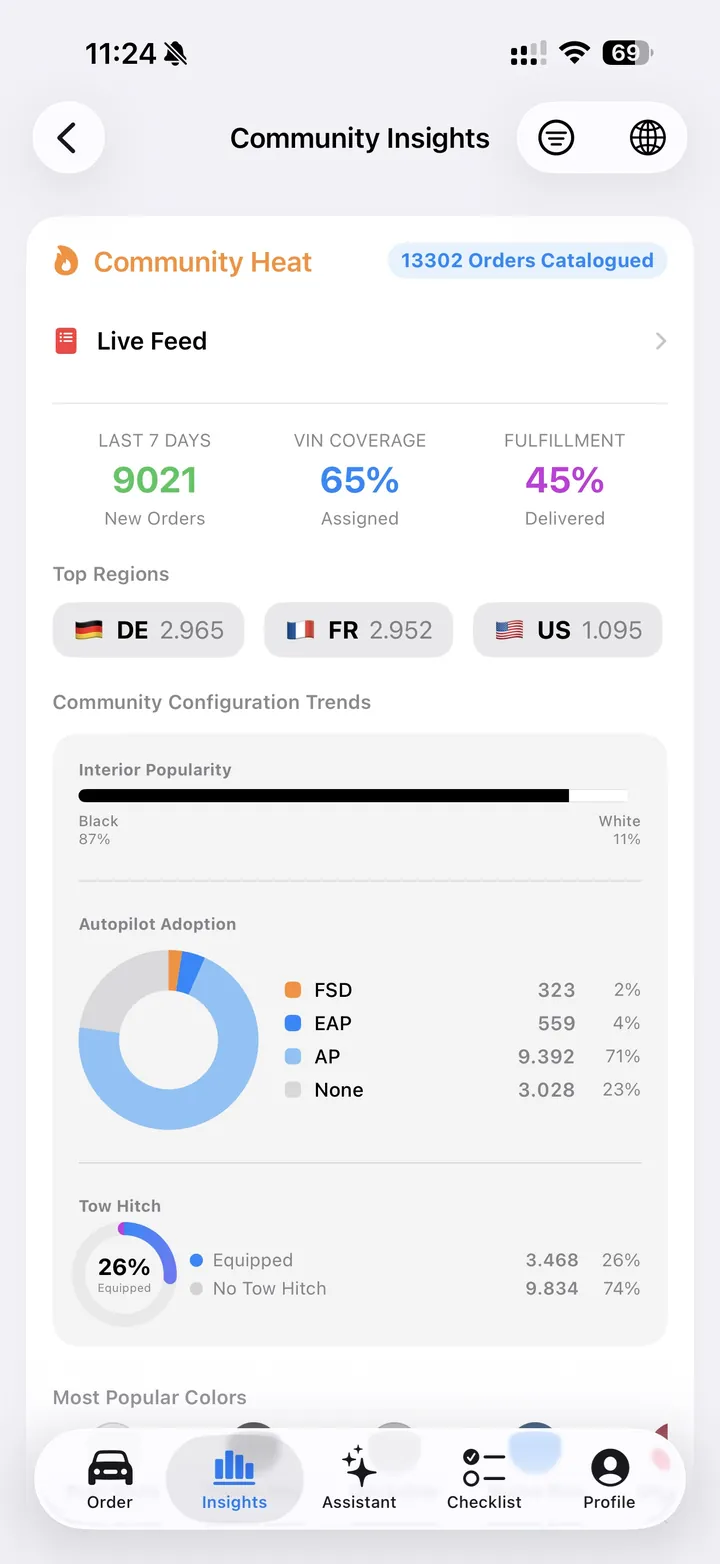
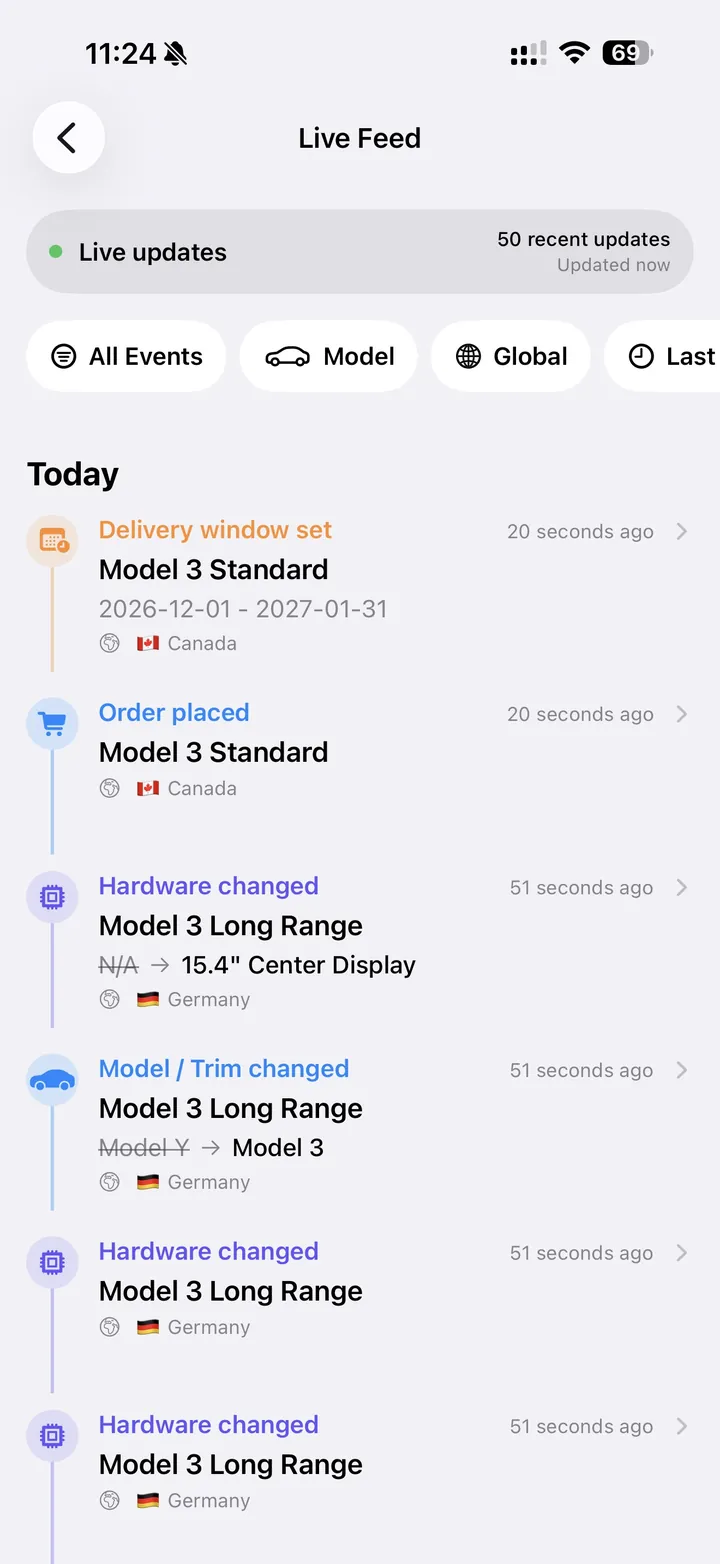
Opt in to anonymized sharing to see community order updates and predictions. A useful perspective on how other waits are moving.
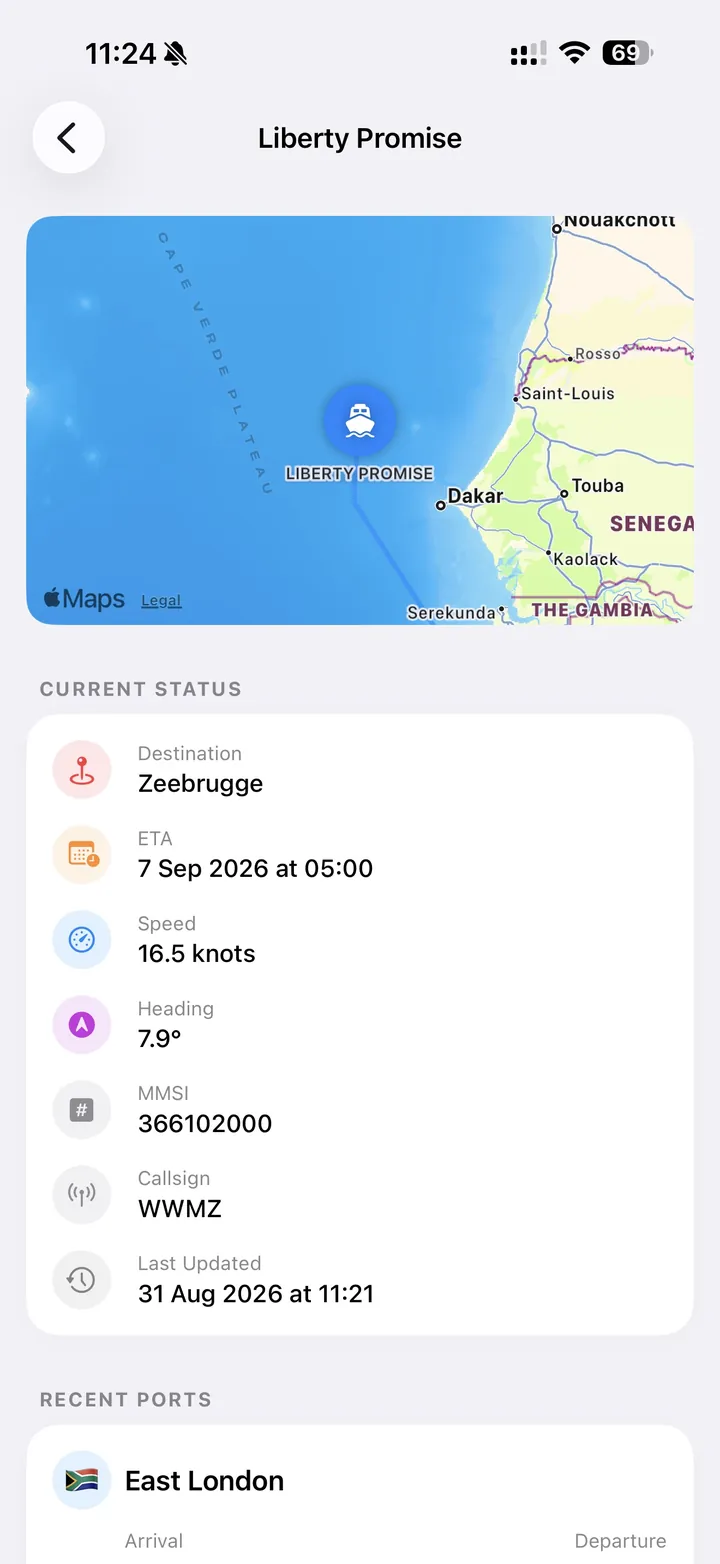
Built across the sea? Follow the ship.
When a vessel is linked to your order you can follow it on a map. A ship's position is context for the journey, not a confirmed collection date.
Then comes the day you have been waiting for.
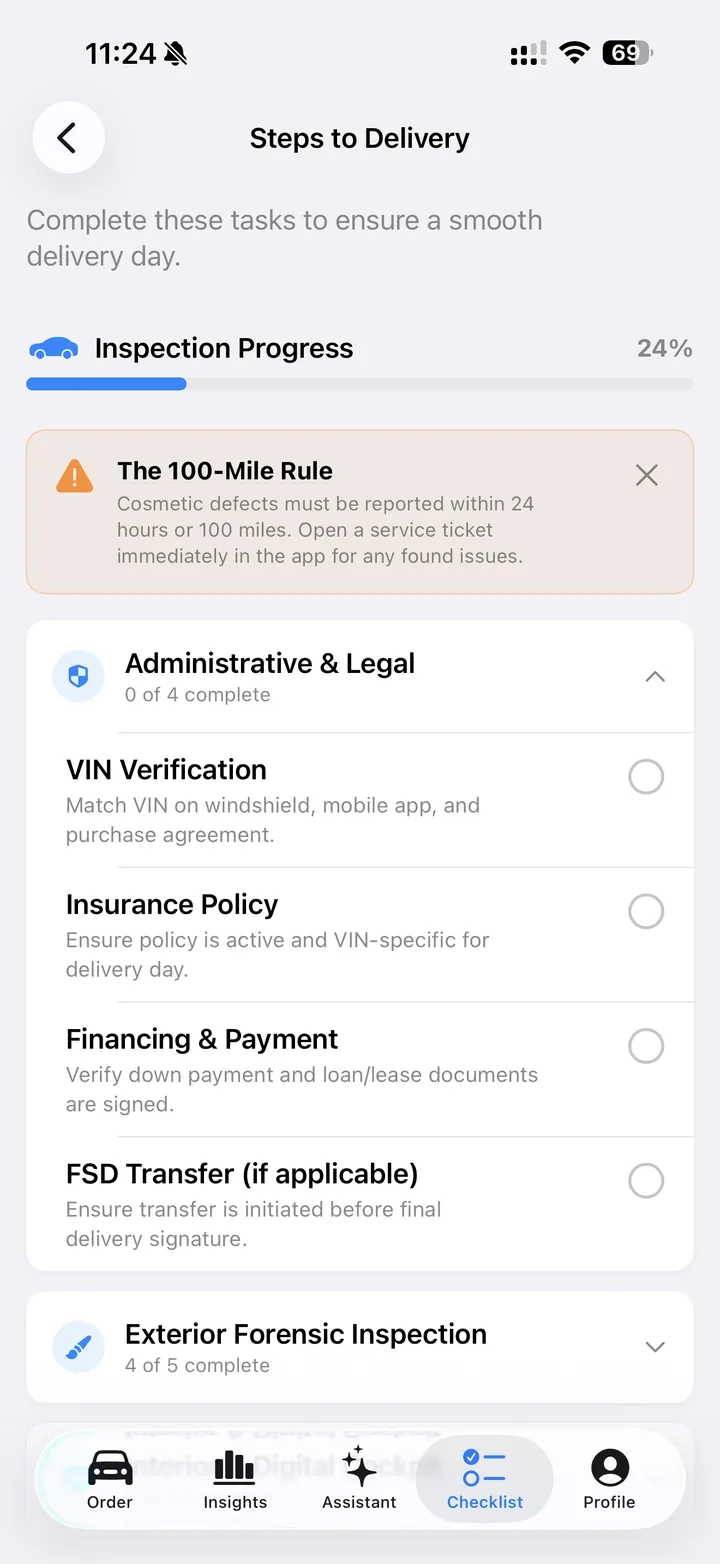
Take the delivery checklist with you. Work through the paperwork, paint, interior and essentials before driving away.
Your order, in perspective.
See the current step, your delivery window and what is still ahead. All in one readable timeline.
A new VIN. A changed window. Now you know.
See your VIN when it becomes available, and how your estimated delivery date has moved. Pro adds a detailed history of old and new values.
There is a whole community waiting with you.
Opt in to anonymized sharing to see community order updates and predictions. A useful perspective on how other waits are moving.
Built across the sea? Follow the ship.
When a vessel is linked to your order you can follow it on a map. A ship's position is context for the journey, not a confirmed collection date.
Then comes the day you have been waiting for.
Take the delivery checklist with you. Work through the paperwork, paint, interior and essentials before driving away.
Good company for the wait.
“This app is the only thing that kept me sane through the ordering process from Tesla.”
“Thank you, you made our wait more pleasant.”
“Thanks for making the wait for a new car feel a little bit shorter. Coffee well deserved.”
Free to use. Pro if you want more.
Free to download and use. Pro is an optional one-time upgrade of $9.99 / €9,99.
| Feature | Free | Pro |
|---|---|---|
Visual order progress Your current step, delivery window, and VIN when available. | ||
Delivery date history How your estimated delivery date has moved. | ||
Delivery-day checklist A practical inspection guide for your handover. | ||
Live community feed Anonymized updates from shared orders. Needs opt-in sharing. | ||
Community predictions Compare your wait with estimates from shared orders. Needs opt-in sharing. | ||
Apple Intelligence assistant Ask about your order on compatible iPhones. | ||
Vehicle parts catalogue Battery, display, headliner, drive unit and more for your vehicle. | ||
Nearby inventory search Browse new and used vehicles in your region. | ||
Public share links Share progress without exposing private details. Needs opt-in sharing. | ||
Community accessories shop Community-rated accessories for the car you are waiting on. | ||
More than one live order Follow multiple orders in one app. | Android | |
Order notifications Push alerts when a tracked detail changes. | ||
Detailed order history Compare old and new values, with a record of changes. | ||
Home Screen widgets Keep your order in view. Lock Screen widgets on iPhone. | ||
VIN decoder and specifications Understand the factory, model year and vehicle details. | ||
Global Prediction Matrix Community delivery timelines by model, country and trim. | ||
Ship tracking (Beta) Follow a linked vessel on the map. Needs opt-in sharing. | ||
Automated inventory alerts Alerts for matching vehicles when background checks run. |
Ready for delivery day.
The delivery checklist is free, in the app and on the web. Try it here: 27 checks in six groups.

Meet Volt. Your companion for the wait.
Curious about an update, thinking through the numbers, or ready with a clipboard. Volt brings a little personality to the practical parts of your journey.
From download to your first update.
- 1
Get the app
Download Delivery Status for Tesla on iPhone or Android, or open the web tracker.
- 2
Connect your Tesla account
Use Tesla's own sign-in page inside the app. Your password stays with Tesla.
- 3
Open your order
See the available details, and choose whether to share anonymized data for community features.
Privacy
- You sign in on Tesla's own login page. The app never sees your password.
- Sharing is optional. Shared data is anonymized and excludes names, addresses and payment data.
- No data is shared with third parties.
- Questions or data removal: [email protected].
Pricing
Free to download and use. Pro is an optional one-time upgrade of $9.99 / €9,99.
Built with
Questions
What is Delivery Status for Tesla?
Follow your order progress, spot VIN updates and see what changed. A little more context for the wait, from your order to delivery day, on iPhone, Android and the web.
Is Delivery Status for Tesla free?
Free to download and use. Pro is an optional one-time upgrade of $9.99 / €9,99.
Which platforms does Delivery Status for Tesla support?
Delivery Status for Tesla is available on iOS, Android, Web.
Who makes Delivery Status for Tesla?
Delivery Status for Tesla is built by jaAPP, the independent software studio of Jaap Rodenburg in the Netherlands.
Will it tell me my exact delivery date?
It shows the information available for your order. Community estimates add context, but cannot guarantee a VIN date or delivery appointment. Tesla's delivery window can change.
Is this an official Tesla app?
No. Delivery Status for Tesla is independently developed by jaAPP and is not affiliated with, endorsed by, or sponsored by Tesla.
Is sharing my order required?
No. Sharing is optional and separate from Pro. Community predictions, the live feed, public share links and ship tracking need anonymized sharing.
When does a Tesla VIN appear?
A VIN appears when Tesla assigns one and makes it available to your order. It can appear in the app before it is visible in the Tesla app, but timing varies. No tracker can assign a VIN or guarantee an earlier update.